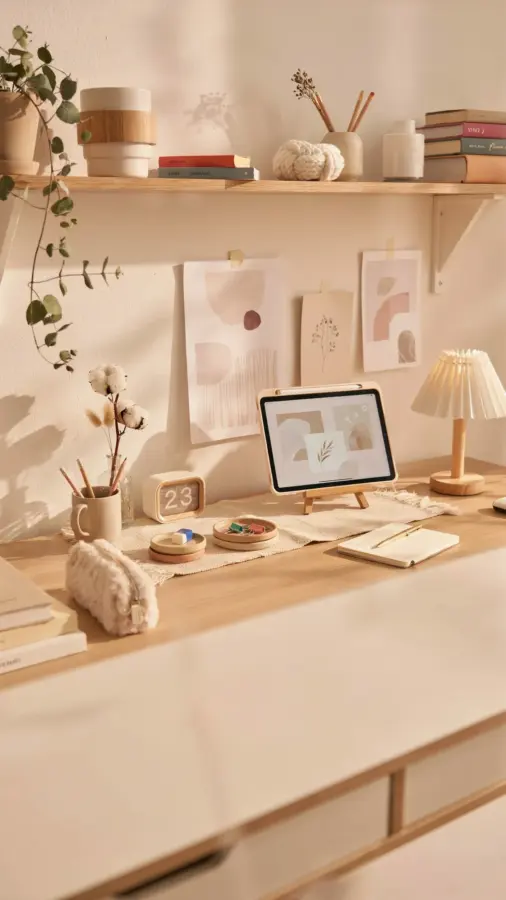
If you work from home but your desk is tucked into a corner of the bedroom or a tiny nook off the kitchen, you already know the struggle of making a small space feel functional. I have spent months tweaking my own cramped setup, testing what actually helps with neck pain and what just looks good in photos. After plenty of trial and error, I have gathered some home office desk setup ideas that balance comfort and efficiency without requiring a spare room. These ideas focus on ergonomics, clever storage, and a few personal touches that turn a cluttered corner into a spot you actually want to sit in for eight hours.
The Compact Corner Solution for Small Office Desks
When your floor space is tight, the shape of your desk matters more than its size. A traditional rectangular desk might force you into a position where you cannot stretch your legs or reach your drawers. I have found that L-shaped corner desks or narrow writing desks work best for smallofficedesk arrangements. They fit snugly against walls and leave room for a chair without making the whole room feel blocked.
If you cannot buy a new desk, try turning your existing desk diagonally into a corner. This simple trick opens up the floor area in front of you. You can also mount a wall-mounted fold-down desk if you need to reclaim space after work hours. These options give you a dedicated work zone without permanently sacrificing square footage.
Ergonomic Workspace Essentials for Pain-Free Days
The most important part of any ergonomicworkspace is where your body meets the furniture. Your monitor should sit at eye level so you are not slouching down or craning your neck up. A simple adjustable monitor stand or a stack of sturdy books can do the job. My own neck pain disappeared after I raised my screen by just four inches.
Your chair matters even more. If you cannot afford a high-end ergonomic chair, look for a used one with adjustable lumbar support and armrests. A small cushion or a rolled towel behind your lower back can help in a pinch. Do not ignore your feet either. A footrest, even a small box, keeps your hips at a better angle and reduces pressure on your lower spine.
Cable Management for a Clutter-Free Desk Setup
Nothing kills productivity faster than a tangle of cords that makes you want to throw your laptop across the room. I have been there. A simple cable management tray attached under your desk hides the power strip and keeps wires off the floor. You can also use adhesive clips to route charging cables along the back of the desk leg.
Here are a few practical cable management ideas that work in small spaces:
- A mesh cable sleeve that bundles all your cords together into one neat tube.
- Velcro cable ties to shorten loose ends and keep every wire the same length.
- A small charging station inside a drawer so your phone and tablet are out of sight but still easy to reach.
Once the cables are hidden, your desk instantly looks bigger and cleaner. That visual calm helps you focus instead of feeling overwhelmed by clutter.
Task Lighting That Saves Your Eyes and Your Mood
Overhead lights in most apartments are harsh and cast shadows directly onto your keyboard. A good desk lamp with an adjustable arm lets you point light exactly where you need it. I prefer a warm white bulb (around 3000K) for evenings and a cooler daylight bulb for mornings. This small switch helped me stop getting headaches after long hours of writing.
If your desk is in a corner without a window, consider a small LED panel that mimics natural light. It sounds fancy, but you can find affordable ones that clip to your monitor. The goal is to reduce eye strain and keep your energy steady. Avoid putting your only light source behind your screen. That creates glare and forces your eyes to work harder.
Personal Touches Without Sacrificing Surface Space
A blank desk feels cold, but too many knickknacks turn your workspace into a distraction zone. The trick is to pick two or three items that genuinely make you smile
#homeofficedesk #desksetupideas #smallofficedesk #ergonomicworkspace #productivitytips
Leave a Comment