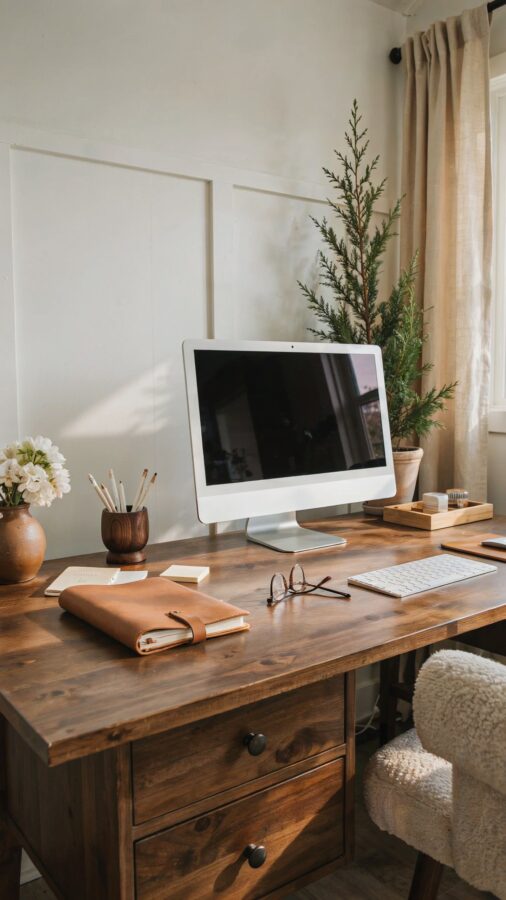
The Biggest Mistake People Make When Shopping for Home Office Must Haves from Amazon
I spent three weeks assembling my dream desk setup last year, and I made every rookie error in the book. You know the one: you scroll through endless photos of minimal desk inspo, click “buy” on a dozen trendy pieces, and end up with a workspace that looks like a Pinterest fail. After that disaster, I learned that the best home office must haves from Amazon aren’t about packing your cart with the cutest items. They are about choosing things that actually work with your daily habits. Let me walk you through the mistakes I made and how you can avoid them, so your workspace stays clean, functional, and genuinely minimal.
Mistake 1: Buying Desk Organizers Before Measuring Your Actual Workflow
I once ordered a beautiful bamboo monitor stand only to find it blocked my laptop’s hinge. That is the kind of rookie move that wastes money and patience. The first rule of workspace organization is to know what you do at your desk, not just how you want it to look.
Before you add anything to your amazon homeoffice cart, take a day to observe your habits. Do you spread papers, use two monitors, or keep a water bottle within arm’s reach? Write down the three things you touch most often. Those are the items that deserve dedicated space. Everything else is noise. A minimalist desk starts with subtraction, not addition.
Mistake 2: Choosing Style Over Support for Everyday Ergonomics
That sleek marble mouse pad looks gorgeous in photos, but it will not save your wrist from strain after six hours of typing. I learned this the hard way after a month of sore shoulders. Real desk essentials include items that support your body, even if they are not camera ready.
- A basic ergonomic mouse with a curved shape (Logitech M720 or a similar budget pick).
- An adjustable monitor arm that lets you set the screen at eye level without clutter.
- A footrest if your chair forces your legs to dangle. I use a simple adjustable one from Amazon Basics.
- Wrist rests for both keyboard and mouse, preferably a gel and memory foam mix.
You can still keep the look minimal by choosing neutral colors like charcoal, white, or beige. Function does not have to be ugly, but do not let a pretty product trick you into ignoring your body. Save the decorative pieces for things you do not touch often, like a small plant or a framed print.
Mistake 3: Overlooking Cable Management Until It Becomes a Tangled Mess
This is the most common error I see in minimaldeskinspo photos that are staged, not lived in. You cannot have a clean workspace if your cables look like a nest of snakes. I tried hiding them behind my desk and ended up tripping over the power strip every morning.
The fix is simple and cheap. Grab a pack of adhesive cable clips and a cable sleeve. Route your monitor, laptop, and phone charger along the underside of your desk, then bundle the rest into a sleeve. Do this before you place the furniture. It takes fifteen minutes and costs under fifteen dollars. Your workspace will feel instantly larger and calmer.
Mistake 4: Hoarding “Just in Case” Supplies That Destroy Your Minimalist Vibe
I used to keep extra pens, sticky notes, and random chargers in every drawer. The result was a desk that looked minimal on top but felt chaotic the moment I opened anything. Homeofficemusthaves should serve your current needs, not your future anxiety.
Limit yourself to one small drawer or tray for office supplies. If it does not fit, you do not need it. For minimal storage, I love the simple mesh desk organizer sold on Amazon under the brand SimpleHouseware. It is transparent and unobtrusive. Keep only the pens you actually use, a single notepad, and maybe a small stapler. Donate the rest. Clutter sneaks in through good intentions, so be ruthless.
Mistake 5: Ignoring Lighting and Screen Positioning
Harsh overhead lighting gives me a headache, and a desk facing a window sounds ideal until glare hits your monitor at 2 p.m. This is a detail many desk essentials lists skip, but it makes or breaks your daily comfort.
For a minimal fix, add a clip-on monitor light from Amazon. They attach to your screen and cast light downward without taking up desk space. I use one from BenQ, but there are cheaper versions around forty dollars. Also position your desk so your screen is perpendicular to the window, not facing it directly. This kills glare without needing curtains or blinds. A small warm-toned desk lamp on a dimmer adds cozy ambiance, just keep it on the far side of your workspace.
Mistake 6: Buying a So
#homeofficemusthaves #minimaldeskinspo #amazonhomeoffice #deskessentials #workspaceorganization
Leave a Comment