Why I Finally Reworked My Desk Setup for Both Work and Gaming
After months of slouching through nine-to-five video calls and then slumping into late night gaming sessions, I knew I needed some serious desk upgrade ideas. My old setup was a mess of tangled cables, a laptop propped on a stack of books, and a chair that made my lower back sing the blues. I started researching homeoffice ergonomics and stumbled into a rabbit hole of monitor arms, cable trays, and standing desk converters. What I found is that a few smart changes can turn a cramped corner into a space where both spreadsheets and shooters feel comfortable. Here is exactly what worked for me, plus a few honest notes on what didn’t.
How a Cheap Monitor Arm Fixed My Neck Pain
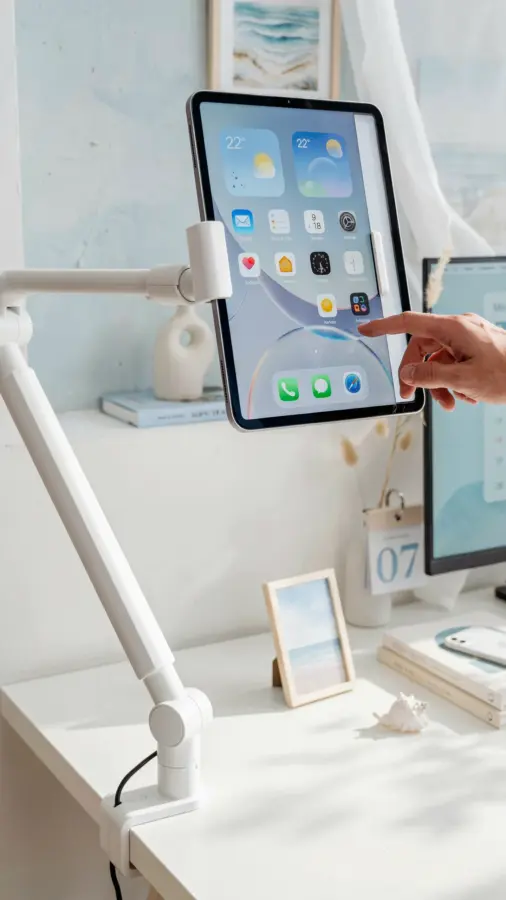
I used to think monitor arms were overpriced gadgets for tech influencers. Then I borrowed a friend’s and felt the difference in thirty minutes. Raising my primary display to eye level stopped that constant forward head tilt, and having the second screen float right beside it saved precious desk real estate. I bought a basic gas spring arm that supports two monitors up to 27 inches each. It cost about sixty dollars, and it is the single best desksetup investment I have made. The key thing is to check your desk thickness and monitor weight before ordering. My oldIkea desk worked fine, but I had to drill a small hole for the clamp.
Cable Management Tray: The Ugly Truth About Clean Aesthetics
I used to think cable management was optional. Then I spent ten minutes untangling a power strip from my chair wheels. A metal cable management tray screwed underneath the desk changed everything. It hides the surge protector and all the thick brick adapters. I also bought a pack of adhesive cable clips to run charging cables along the underside. Now when I sit down, I see only the mouse and keyboard wire peeking out. For a workfromhome setup that also doubles as a gaming station, this small fix makes a huge psychological difference. You stop feeling like you are working inside a spaghetti bowl.
Standing Desk Converter for Those Afternoon Slumps
I do not own a full height adjustable desk because they are expensive and heavy. Instead, I use a compact standing desk converter that sits on top of my existing desk. It has two tiers: the bottom holds my keyboard and mouse, the top lifts my dual monitors with a smooth gas spring mechanism. I switch to standing for about thirty minutes after lunch. That brief change in posture recharges my focus without needing coffee. My converter cost around one hundred fifty dollars and it fits even a narrow gamingdesk surface without blocking the monitor arms. The only downside is that the standing position is fixed, so taller people might need a taller converter.
Gaming Chair Versus Ergonomic Office Chair: My Honest Take
For a long time I believed that a racing style gaming chair would make my gaming sessions more immersive. I tried one for two weeks and my hips hated me. The bucket seat design forces your shoulders forward and the foam is often too firm. I eventually swapped to a mid range ergonomic office chair with adjustable lumbar support, mesh back, and a seat slider. It cost a bit more, but I can sit through a nine hour workday and then four hours of Elden Ring without soreness. If you really want a homeoffice chair that pulls double duty, look for one with adjustable armrests that can tuck under the desk. That feature alone helps you maintain good posture while gaming with a controller.
Six Small Upgrades That Made a Surprising Difference
These are the little things I added after the big changes. They cost very little but improved daily comfort and organization.
- A monitor light bar instead of a desk lamp. It reduces glare on screens and frees up surface space.
- A wrist rest for my mechanical keyboard. My wrists stopped aching after long typing or gaming stretches.
- A mouse bungee for wired mice. It keeps the cord lifted and off the desk, reducing drag during fast movements.
- A silicone desk pad that covers the whole surface. It protects the wood, muffles keyboard noise, and gives a uniform feel for mouse movement.
- Under desk headphone hook. No more headphones dangling off the edge or getting knocked onto the floor.
- A small cable box to hide the power strip behind my monitor arm. It keeps the floor clutter free and easier to vacuum.
Why Lighting and Layout Matter More Than You Think
I used to rely on overhead ceiling lights that cast shadows on my screens. Adding a bias lighting strip behind the monitors changed the whole mood. It reduces eye strain during late night gaming and makes video calls look more natural because my face is softly lit. I also repositioned my desk to face a window indirectly. That way I get natural light without sun glare on the monitors. If you cannot move your desk, a simple photo lamp with a warm bulb placed behind the primary monitor can create depth and reduce fatigue. This is a deskupgrade you can do for under twenty dollars, and it instantly makes your workspace feel more intentional.
Final Thoughts and a Gentle Nudge
Not every upgrade needs to cost a lot. I spread my changes out over three months and tested each one before committing. The result is a setup that supports both focused work and relaxed gaming without making me feel like I
#deskupgrade #homeoffice #desksetup #workfromhome #gamingdesk