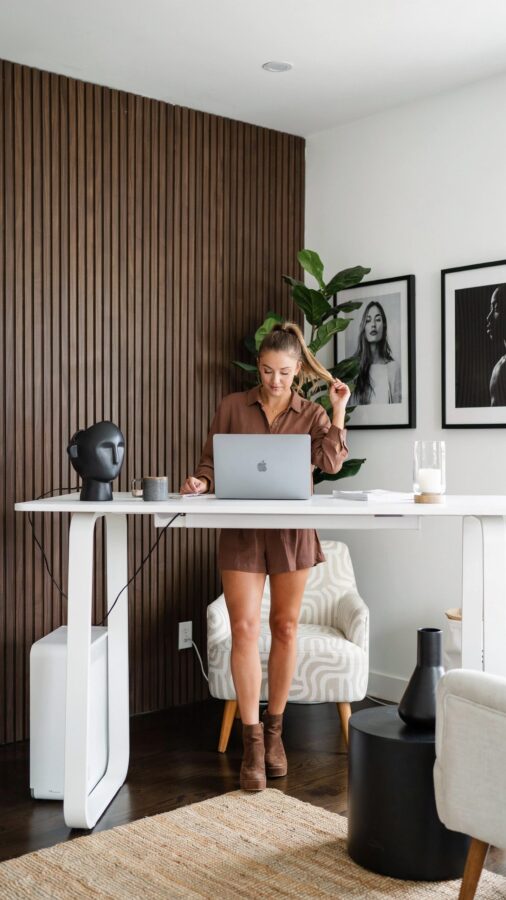
The Wrong Height Range for Your Body
Many people buy a standing desk for home office without checking if the adjustable range actually fits their height. I see this mistake often. A desk that doesn’t go low enough in sitting mode forces your shoulders up. One that doesn’t reach high enough in standing mode makes you hunch. Check the minimum and maximum height before you purchase. For most adults, a range of 25 to 50 inches works well. If you are very tall or very short, look for extended range models. Measure your elbow height while standing straight. Your desk surface should sit at or just below that point for neutral wrists.
Choosing a Wobbly Height Adjustable Desk for Home Office
Stability matters more than most people realize. A shaky desk ruins your focus and makes typing feel unsafe. I once tested a budget model that wobbled noticeably at standing height. The monitor shook every time I typed. That is a productivity killer. Look for desks with a steel frame and a crossbar. Two-leg designs can be stable if the legs are wide and the base is heavy. For maximum stability, consider a four-leg frame. Read reviews that specifically mention wobble at higher positions. A stable height adjustable desk for home office is worth the extra investment.
Forgetting Cable Management Before Assembly
You finish setting up your new desk. Then you realize cables are dangling everywhere. When you raise the desk, cords pull on your computer or get tangled in the mechanism. This is frustrating. Plan cable management before you attach anything. Use a cable tray that mounts under the desk. Run all power and data cables through it before you plug them in. Leave a little slack for movement. Velcro straps keep things tidy. A simple cable management system for your standing desk prevents mess and protects your electronics. Do this upfront, not later.
Skipping the Anti Fatigue Mat for Standing Desk
Standing on a hard floor for hours hurts your feet, knees, and lower back. Many people assume a mat is optional. It is not. An anti fatigue mat for standing desk use provides cushioning that encourages micro-movements in your legs. This improves blood flow and reduces discomfort. Look for a mat that is thick enough (around 3/4 inch) but not so soft that you sink in. A textured surface prevents slipping. Place the mat exactly where you stand, not under the desk edge. Your feet should rest fully on it. Your body will thank you after a full workday.
Not Using a Monitor Arm with Your Ergonomic Desk
A monitor arm is one of the best upgrades for an ergonomic desk setup. Without it, your screen sits on the desk surface, which is often too low or too far away. You lean forward or tilt your neck down. That strains your cervical spine. A good monitor arm lets you adjust height, depth, and tilt independently. Pair it with your height adjustable standing desk. When you switch from sitting to standing, simply lift the monitor to eye level. No more propping your screen on books. This simple change reduces neck pain significantly. I recommend a gas spring arm for smooth adjustments.
- Measure your desk’s back edge. Make sure the arm clamp fits your desk thickness (usually up to 2 inches).
- Choose dual arms if you use two monitors. Single arms can be rearranged later.
- Route cables through the arm for a clean look. Most arms have built-in cable channels.
Overlooking the Desk Surface Size for WFH Essentials
A narrow desk makes your home office feel cramped. You cannot fit your laptop, monitor, keyboard, mouse, and a coffee mug without everything overlapping. I have seen people buy a 40-inch wide desk and then regret it within a week. For a comfortable WFH essential setup, aim for at least 48 inches wide. 60 inches is even better if you have the floor space. Depth matters too. A 24-inch deep surface is barely enough for a monitor arm and keyboard. Go for 30 inches deep if you can. This gives you room to push the monitor back and still have space for writing or a second screen.
Neglecting to Adjust Your Posture During the Day
A height adjustable standing desk does not fix your posture automatically. I have seen people stand perfectly still for two hours, then wonder why their back hurts. The real benefit of an ergonomic desk is the ability to shift positions frequently. Set a timer to change between sitting and standing every 30 to 45 minutes. When standing, keep your weight balanced on both feet. Place your keyboard at elbow height and your monitor at eye level. Do not lock your knees. Rock your hips gently or shift from one foot to the other. These small posture tips for standing desk users make a huge difference in endurance.
Common Mistake Recap and Final Thoughts
Buying a standing desk is a smart move for your home
#standingdesk #ergonomicdesk #homeoffice #wfhessentials #heightadjustabledesk
Leave a Comment